
 macOS, iPhone and iPad
Your Safari. Your search engine.
Send every Safari search to the engine you choose. 33 built in, or add your own. No configuration, no latency, no account. It just works.
Switch engines from the toolbar.
One click on the Custom Search button. Pick, pin or add an engine without leaving the page.
Everything you need. Nothing you don’t.
Built for people who care about privacy and want more control over how they browse.
33 built-in engines
Brave, Kagi, DuckDuckGo, Startpage, SearXNG, Perplexity, Google, Bing and 25 more, ready out of the box. No account needed.
Bang shortcuts
Put a bang at the start or end of a search to change the engine for that query only. k! swift testing goes to Kagi. liquid glass gh! goes to GitHub.
Your own engines
Paste a search URL, with %s where the query goes, choose a bang, and it works in Safari right away, like the built-in ones.
Your engines on top
Pin favourites, drag to reorder, and hide the engines you never use. The list is yours.
Always in sync
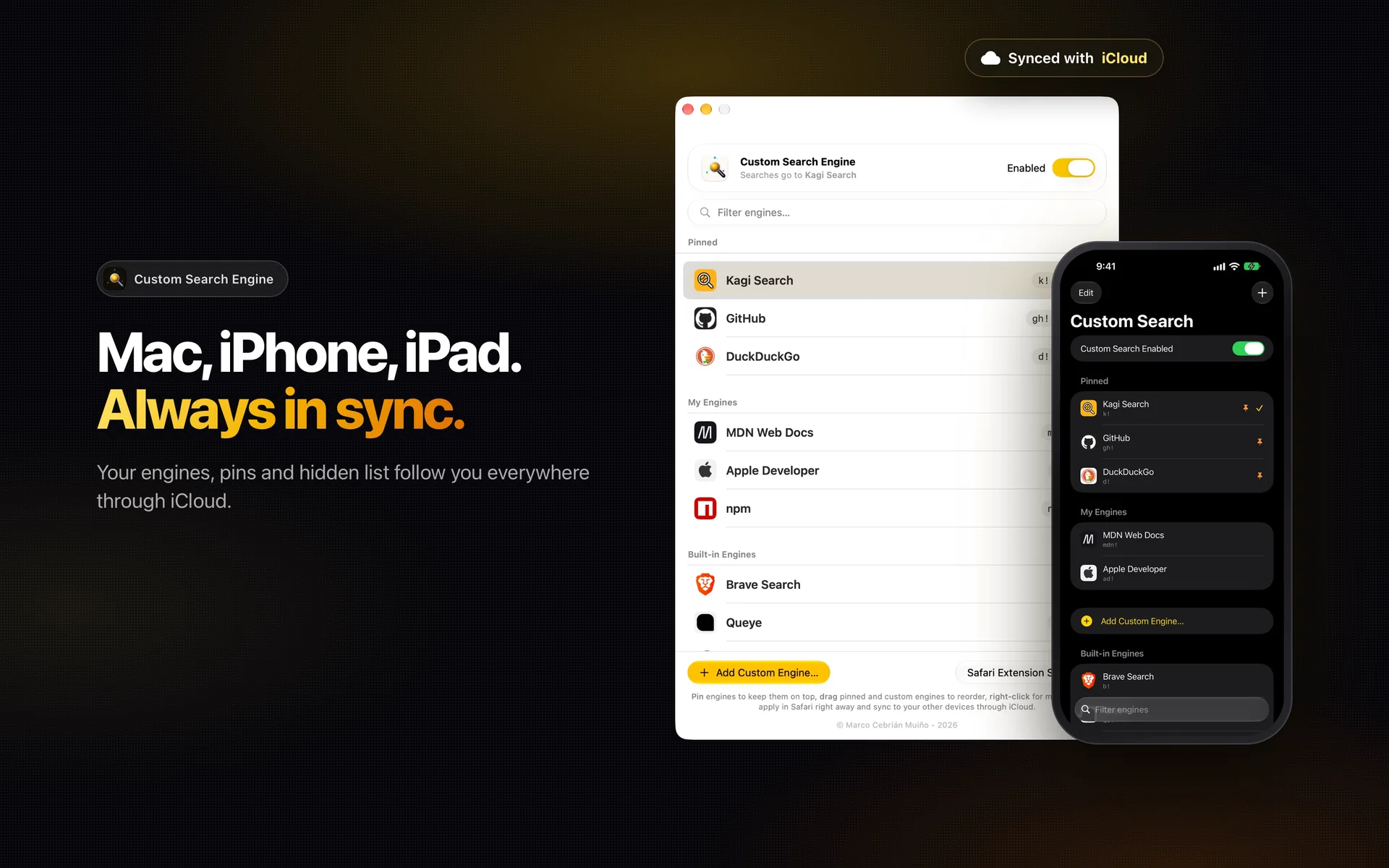
Your engines, pins and hidden list follow you across Mac, iPhone and iPad through iCloud.
Mac, iPhone and iPad
A full app on each, with the same list. The Mac uses a native Safari App Extension; iPhone and iPad use a Safari Web Extension.
Your engines on top. The rest, hidden.
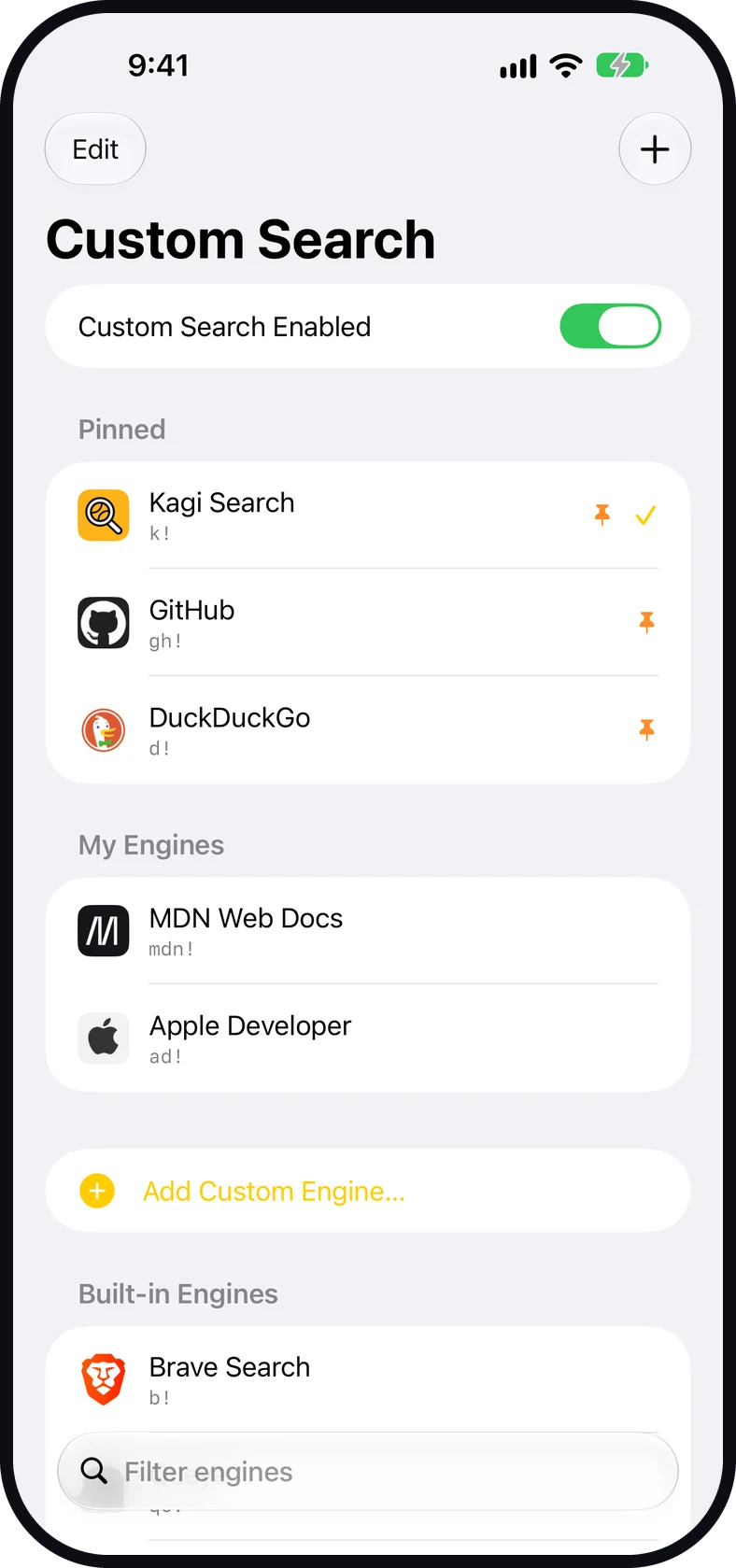
Pin favourites, drag to reorder, right-click to hide what you never use.
The Mac app shows the whole list in one window: pinned, yours, and built in. One switch turns Custom Search on or off, and Safari’s default is back.
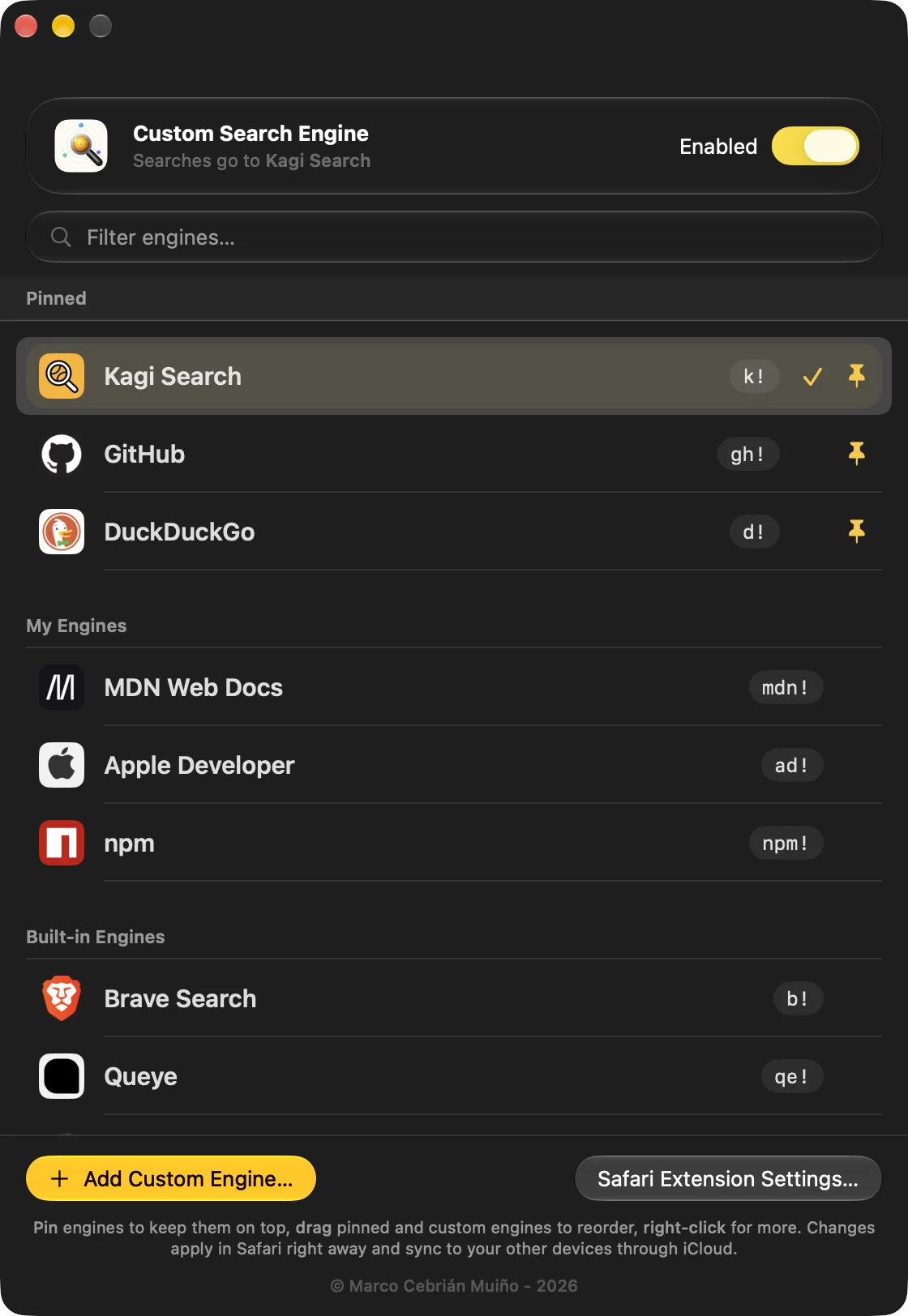
Switch engines right in Safari.
Tap the extension button and pick. Your next search goes there.
Thirty seconds on the iPhone: 33 engines built in, a bang that lands on GitHub, and a new engine added with one-tap Paste.
From privacy-first to AI-powered.
Every engine is set up and ready. No URLs to remember. The short code is its bang.
Plus as many custom engines as you want to add.
Type a bang. Land anywhere.
Your default engine handles most searches. A bang jumps somewhere else for one query. Type one below and see where it would go. This box doesn’t search or leave the page.
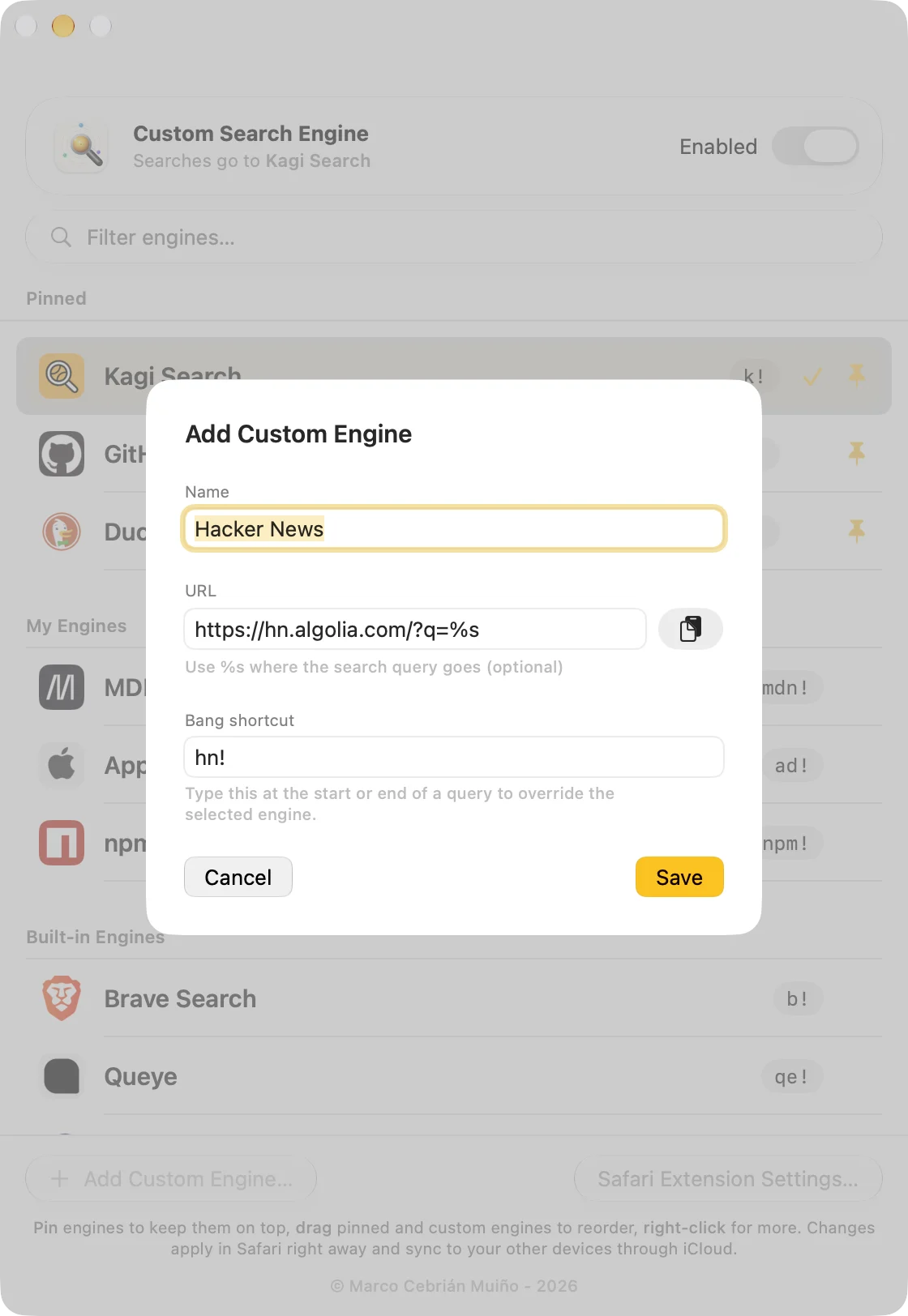
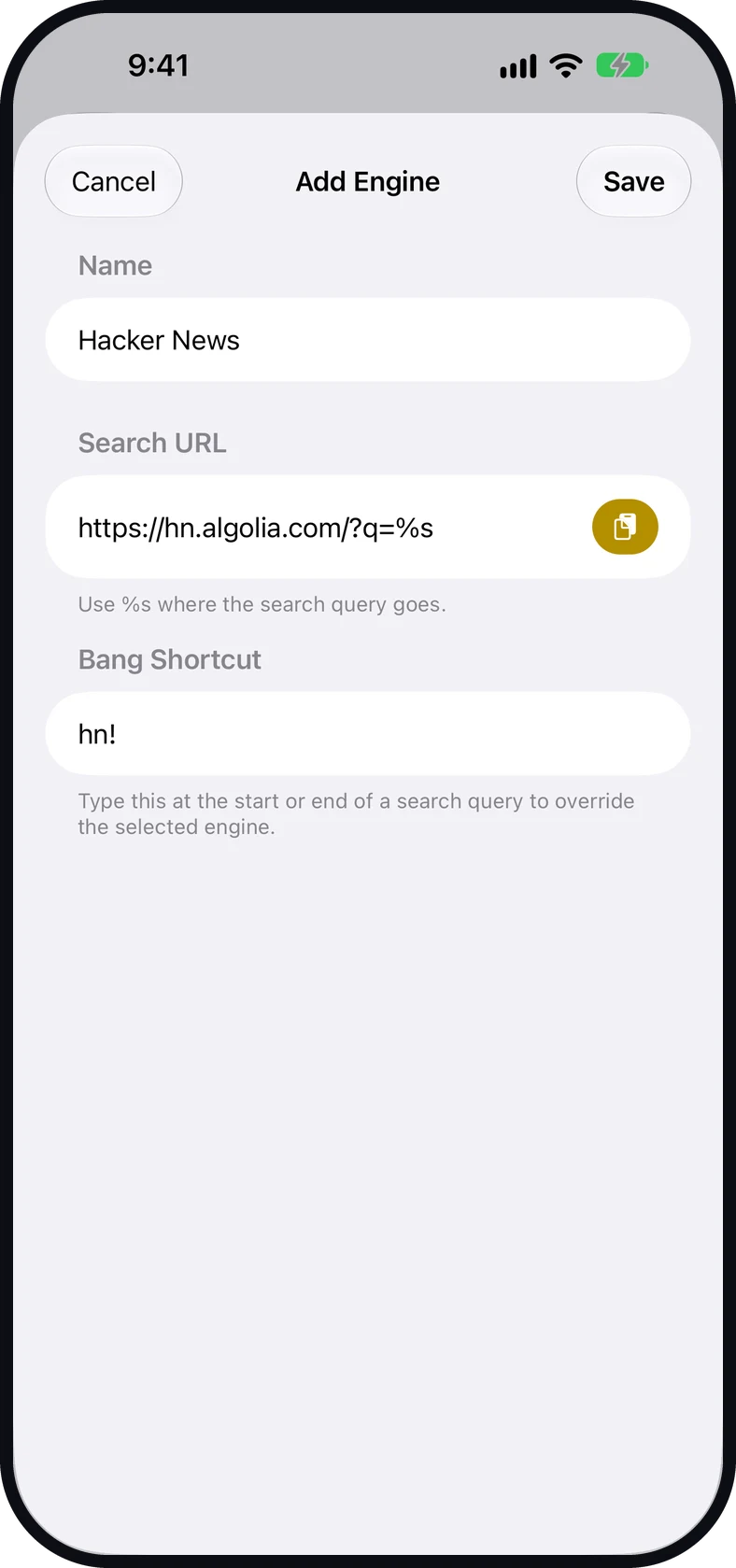
Add any engine in seconds.
- Paste a search URL. Put %s where the query goes.
- Choose a bang shortcut and it works exactly like the built-in ones.
- It syncs to your other devices through your own iCloud. No account with us, no server of ours.
We see nothing beyond the search URL, and only for a moment.
Custom Search only acts on the navigation, at the URL. It never reads the page, never stores your queries and never phones home. On iPhone and iPad the redirect is a Safari rule, so the extension’s own code never sees your search at all. Your engine list syncs through your own iCloud, which we cannot read.